Changelog

Stabileo changelog

What reached Stabileo since the first version in February 2026, newest first. From February to April it goes month by month, and from June, week by week. Every Friday we add what was released that week in Basic, PRO, the analysis engine and the website.

89 changes since February 2026 Updated every Friday

October 2026

Design checks in the engine, and versions 0.2.0 and 0.3.0

Engine

  • Reinforced concrete (CIRSOC 201) and steel (CIRSOC 301) design-code checks now run inside the engine, with validation suites against published reference models.
  • For the results that allow it, the engine computes an error bound with interval arithmetic.

App

  • Versions 0.2.0 and 0.3.0 were released, with notes in Spanish, English and Portuguese. When a change affects results, the app asks you to re-run your saved projects.

Website

  • The landing page adds a section on verification and now loads 152 KB instead of 6.4 MB.
  • Two new blog posts, a redesigned index, and a page listing what Stabileo checks from each CIRSOC code.
A report you put together in Basic, and dynamic loads in PRO

Basic

  • Zoom from kilometers down to millimeters, picking members that overlap, hiding parts of the model, and easier-to-read labels.
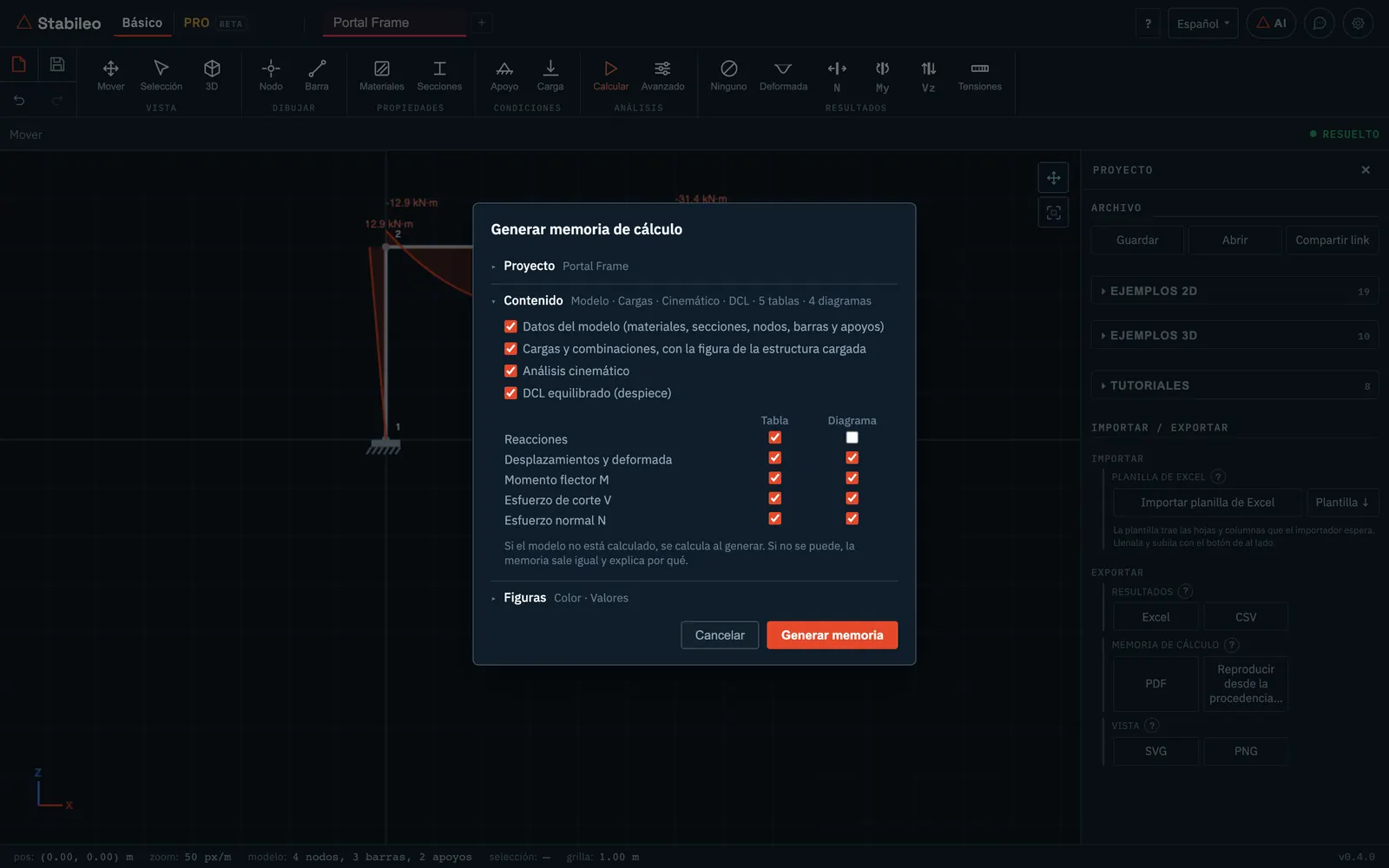
  • You build the PDF calculation report by choosing what goes in, including the kinematic analysis and the balanced free-body diagrams, and figures export ready to print.
  • A video of the structure going up floor by floor.

PRO

  • Composite and reference load cases, notional loads, and SRSS and ABS combinations.
  • Dynamic and moving loads: project-specific response spectra and catalog vehicles.
  • Units across PRO, and exports to Excel, CSV, PDF report, DXF and images, each with a dialog that shows what comes out.
The Basic mode calculation report dialog, with the list of contents to choose what to include

Code-based loads in PRO

PRO

  • The code load generator covers roofs, snow drifts and pattern loading, and computes the wind gust factor per CIRSOC 102.
  • Loads on members, nodes and plates can be typed in with their direction, their variation and the area they cover.
  • Display units, tapered members and improvements to the section editor.
  • Reinforced concrete design of a whole building takes less than half the time it used to.

From exercises to real projects in PRO

Basic

  • Members are drawn point to point, snapping to nodes, midpoints and crossings, and the app asks whether to connect what crosses.
  • Explained step-by-step solutions covering fifteen analysis methods.
  • Dynamic analysis draws the mode shapes.

PRO

  • Grids and levels, structure generators that insert into the model, and copy and paste.
  • Floor loads by tributary area, plate meshing, elastic supports and foundations.
  • Result tables, deflection limits, plate contours, a project Excel workbook and a report.
  • An editor to draw built-up sections, and a search for the lightest section that passes.
  • Seven published reference structures, modeled to check the results against, and a gallery of 24 examples.

Engine

  • A solver that makes large models much faster, and a fix to the plate elements.
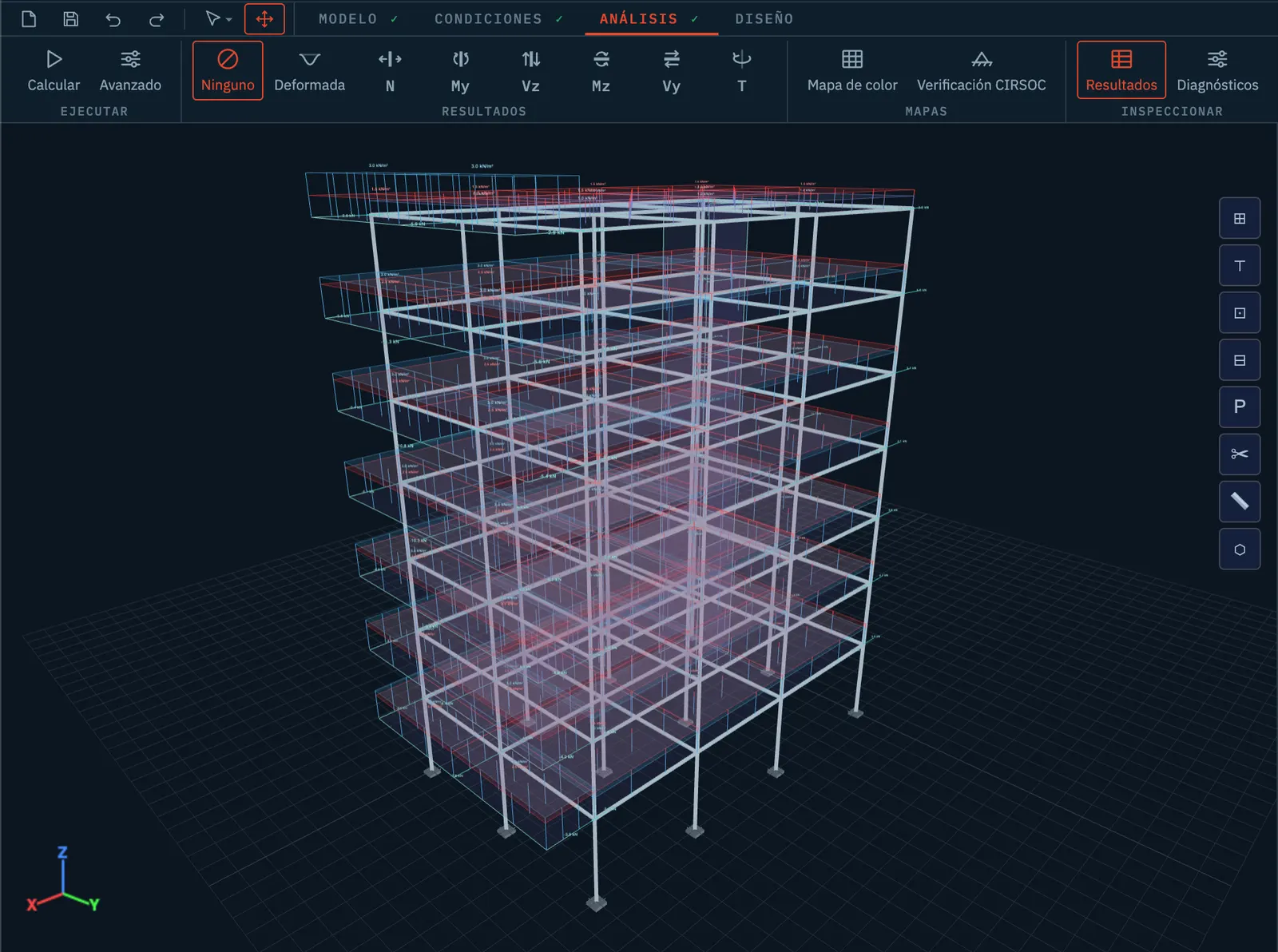
A multi-story building modeled in PRO mode, with grids and levels

September 2026

Reinforced concrete design in PRO

Website

  • A shorter landing page, with the pricing proposal and a contact panel that also shows inside the app.
  • A new blog post on when to model with members and when with finite elements, and a user guide.

Basic

  • The CIRSOC Flex reinforced concrete calculator now proposes the bars, and was checked against the original spreadsheet.
  • Step-by-step solutions by the stiffness and flexibility methods, in 2D and 3D.
  • Temperature loads in every analysis.

Education

  • Education mode became a panel inside Basic.

PRO

  • Reinforced concrete design, and a reorganized PRO interface.
  • A model equilibrium check, and dynamic analyses: modal, response spectrum and time history.

Engine

  • A badly built model is now rejected with a message instead of returning zeros.
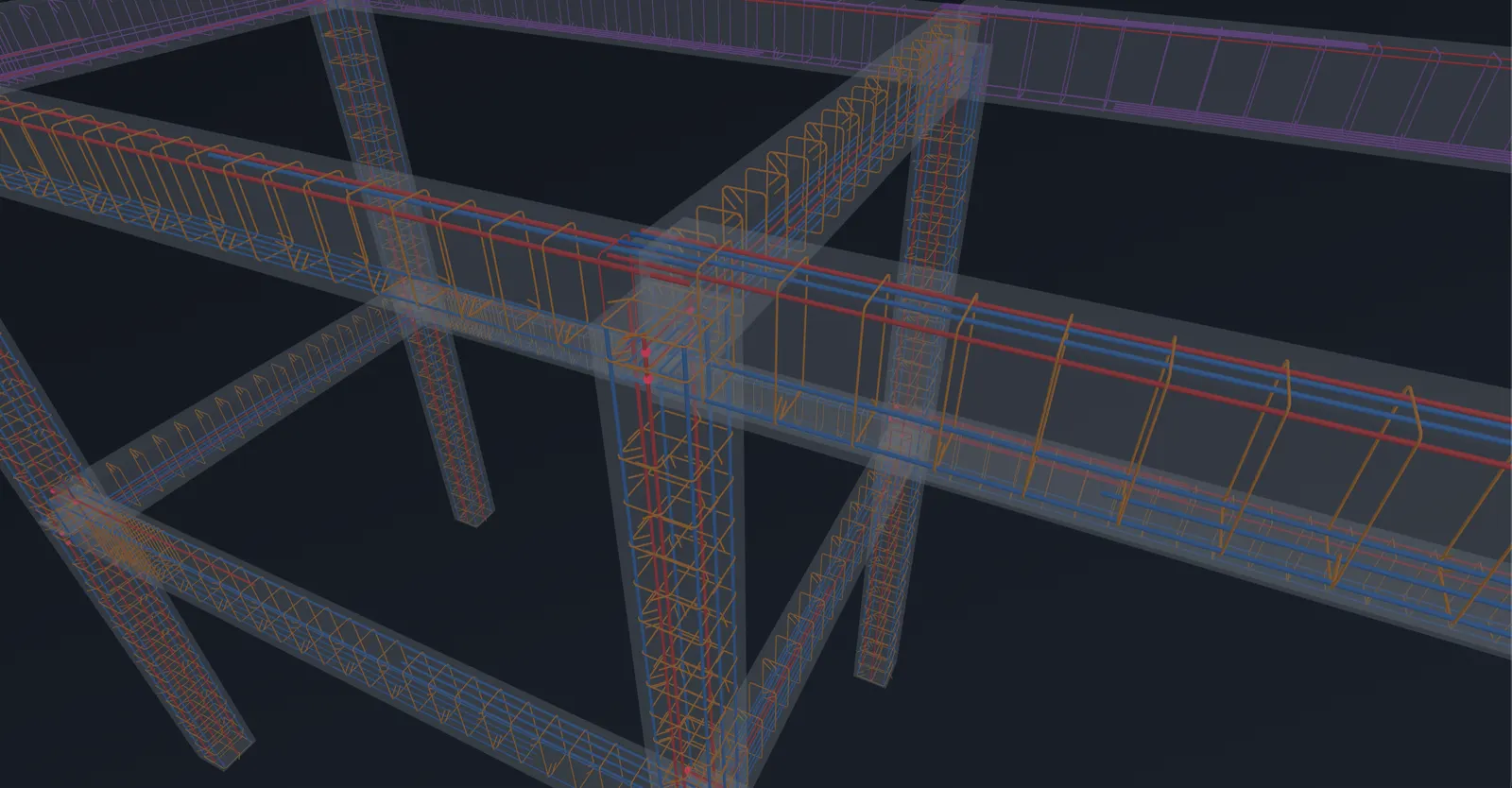
The designed reinforcement of a reinforced concrete structure, shown in 3D in PRO mode

Stabileo on your phone

App

  • A phone interface, with the same layout for Basic and PRO.

Basic

  • Model import from Excel, and shared links open the full model again.
  • Reinforcement design of sections per CIRSOC Flex, the spreadsheet most civil engineers in Argentina use.

PRO

  • Steel structures: section and material pickers, generators, the steel workflow and connection design.
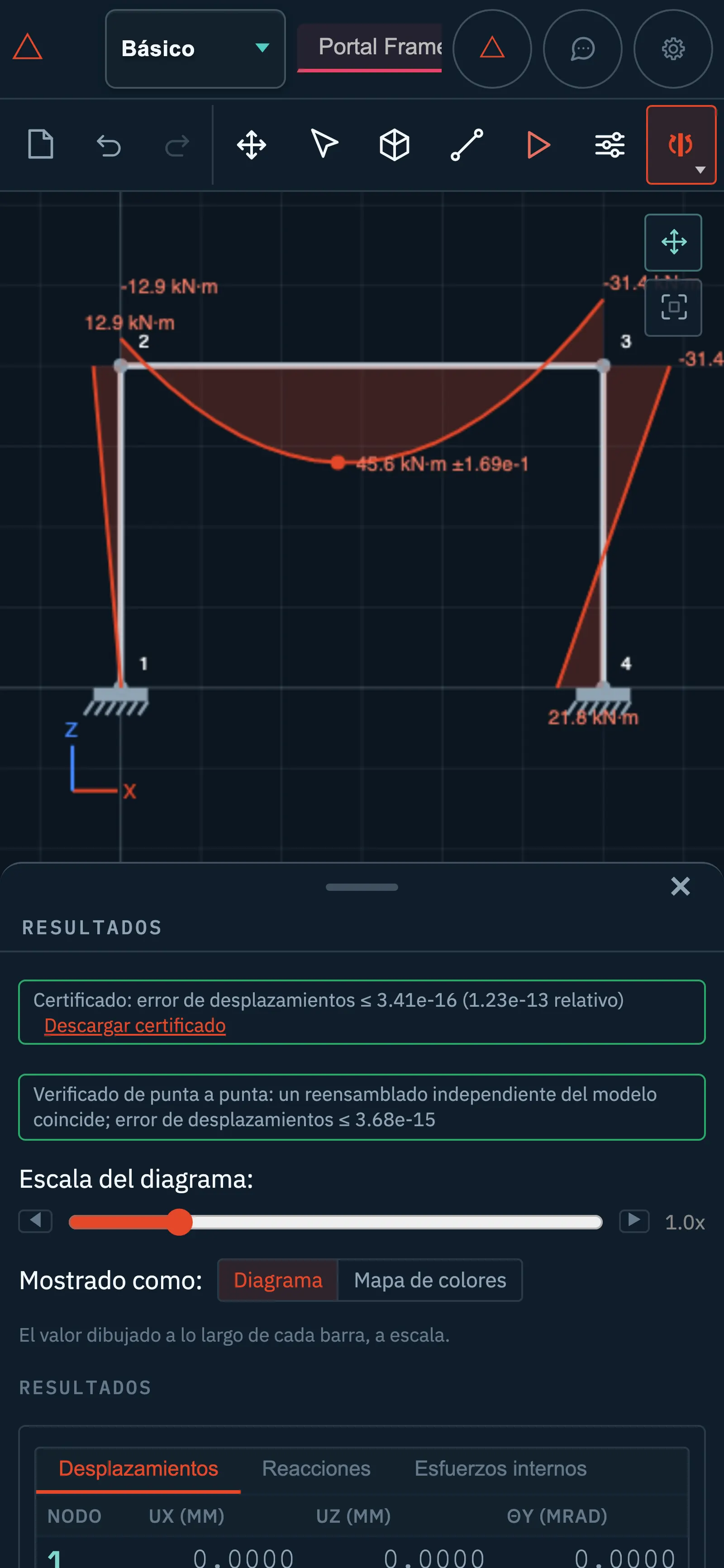
Basic mode on a phone, with the bending moment diagram of a frame

August 2026

Steel structures, and the site in three languages

PRO

  • Generators for trusses, lattice columns and industrial sheds from editable parameters, with a section picker that has a catalog and filters.

Website

  • The landing page and the blog in Spanish, English and Portuguese. The site became indexable by search engines, with eighteen pages and four posts.

Basic

  • Seven short tutorials, replacing the guided tour.

Engine

  • Three calculation errors fixed: the shear of a circular tube, peak shear, and a staged analysis that dropped slabs and walls.
A steel industrial shed built from editable parameters

Section analysis, and a new PRO interface

Basic

  • Clicking any point of the structure gives the stress state over the actual section, with principal stresses, Mohr's circle, the section kern, and a load point you drag to see the effect of eccentricity.
  • A materials and sections database for Argentina, Europe, the United States and Brazil, with more than 700 sections checked against their standards.
  • Easier selection and move tools, and stress maps with a color scale.

PRO

  • PRO was redesigned with the same visual identity as Basic.
Basic mode section analysis, with the stress state over the real outline of the section

A new visual identity, and Education mode

Basic

  • The whole Basic interface with the visual identity of the new landing page.
  • Every section resolves to its exact outline. When it has none, the app declines to compute stresses instead of inventing the missing thicknesses.

Education

  • The teacher builds the exercise inside the app and the student solves it; the diagrams the student draws are graded against the analysis.

PRO

  • Reinforced concrete footings: from reinforcement design to a CAD file, with the bar schedule in 3D.

Engine

  • Fixes to the design checks: unconservative defaults, missing limit states and inputs that were being ignored.
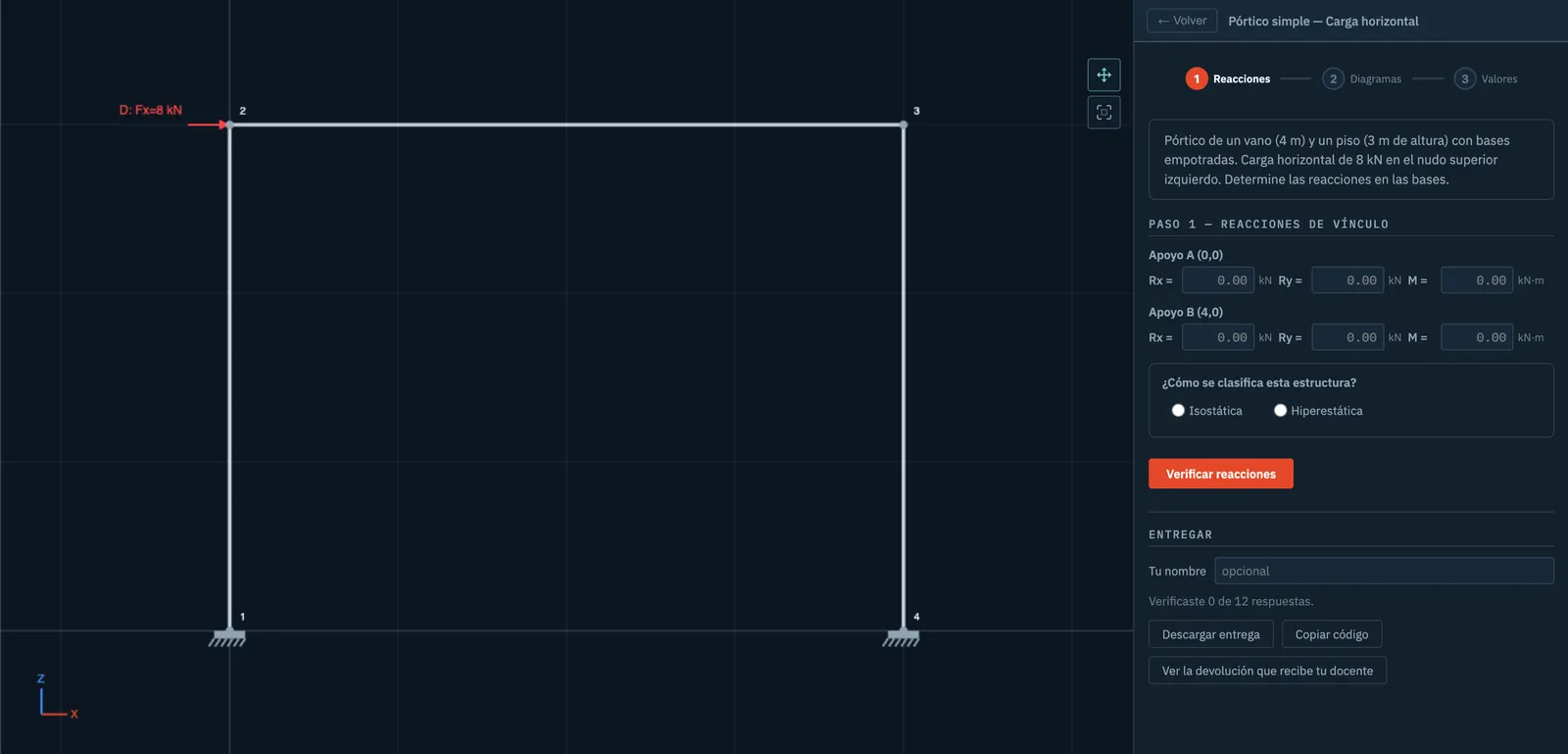
An Education mode exercise, with the diagrams the student draws graded against the analysis

A new landing page, and the 2025 CIRSOC codes

Website

  • The landing page was rebuilt: it explains what Stabileo is, what works today and what is in development, with sections for Basic, Education and PRO.

PRO

  • Loads and design checks per the 2025 CIRSOC codes, with the edition of each code recorded in the project.

Engine

  • Faster post-processing and 3D viewer on large models.

July 2026

Results that always match the model

App

  • Editing the model invalidates the results and design checks it made stale, so results that no longer apply are never shown.

Engine

  • Faster analysis: load cases reuse the factorization, combinations are solved in batches and the analysis runs in the background.
  • Fixes to constraints and inclined supports.

DXF drawing importer

PRO

  • The DXF drawing importer adds a preview and diagnostics, unit control, multiple floors and beam interpretation, with a clearer wizard.

June 2026

Member free-body diagrams in Basic

Basic

  • Free-body diagrams of members in 2D and 3D, with sliding hinges in 2D and six-degree-of-freedom releases in 3D, and the force vectors at each end.

From a CAD drawing to a concrete model

PRO

  • From a DXF drawing to a reinforced concrete structural draft: a wizard that classifies layers, a downloadable template and examples.
  • The 3D local-axis convention fixed in the interface and in the engine, with existing models migrated.

Basic

  • Axes and sections unified across Basic 2D and 3D.

A professional workflow in PRO

PRO

  • Design, loads and the calculation report working together in PRO, with unified design checks.
  • Results by load case, combination and envelope.
  • A 3D viewer with real section shapes and local axes, and member offsets to model beams framing into the column face.
  • Slabs and walls with display, axes, principal stresses and report.

Basic

  • Basic mode was rewritten, with a clearer line between it and PRO.
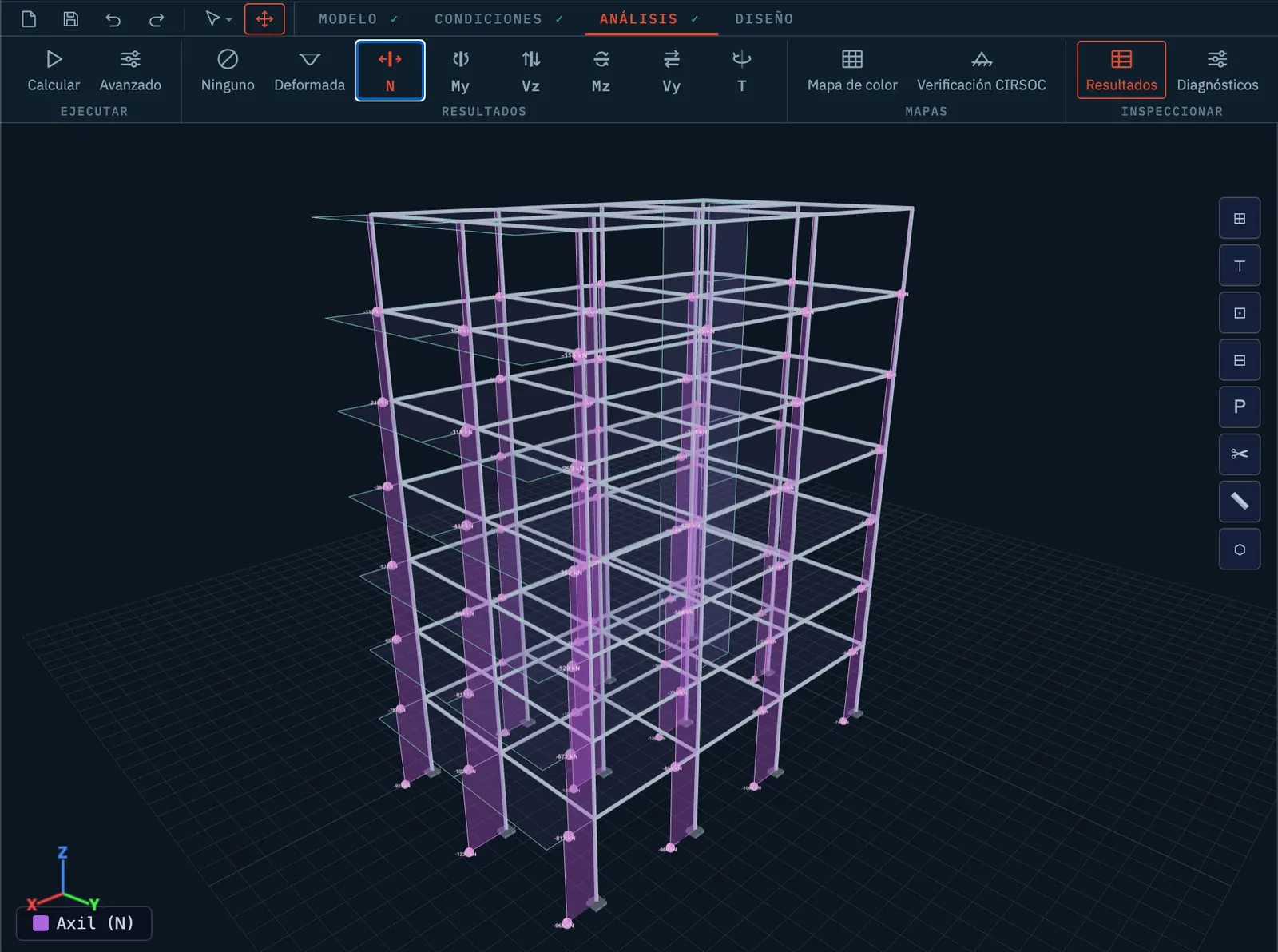
Axial forces in a building in PRO mode, with real section shapes in the 3D viewer

April 2026

A smoother 3D viewer and a sturdier engine

Website

  • A redesigned landing page.

Engine

  • Close to a thousand new robustness tests, with accuracy fixes in the engine, the elements and the constraints, and instability warnings before the analysis runs.
  • Hinges in 3D released axis by axis at each member end.

App

  • The 3D viewer moves smoothly on models with over a thousand nodes: nodes are drawn in one pass and picking members is faster.
  • Axes were unified with Z up across the app, and the My and Mz moments were fixed in stresses and design checks.
  • Fixes to saving, shared links and exports.

March 2026

The engine in Rust, PRO mode and the Stabileo name

Engine

  • The analysis engine was rewritten in Rust and runs in the browser through WebAssembly. Before it replaced the old one, the two were compared on 90 models.
  • Over two thousand validation tests against textbook solutions and published reference cases.
  • Geometric and material nonlinear analysis, modal, spectral and time-history dynamics, plates and shells, cables, staged construction and foundations on springs.
  • A sparse matrix solver that speeds up large models: 3D modal analysis became 11.8 times faster.

Website

  • The project was renamed Stabileo, with its own domain, a landing page and the interface in 14 languages.

PRO

  • PRO mode, with reinforced concrete checks to CIRSOC 201, automatic loads, diagnostics and a calculation report.
  • A reinforced concrete workflow with the governing combination for each member, automatic checks, detailing and joints, and large examples such as a 1005-node stadium.

Education

  • Education mode, with guided exercises checked step by step.

Basic

  • Basic mode adds the 3D view and turning 3D models into 2D ones.

App

  • An AI assistant that builds and edits models from a conversation.
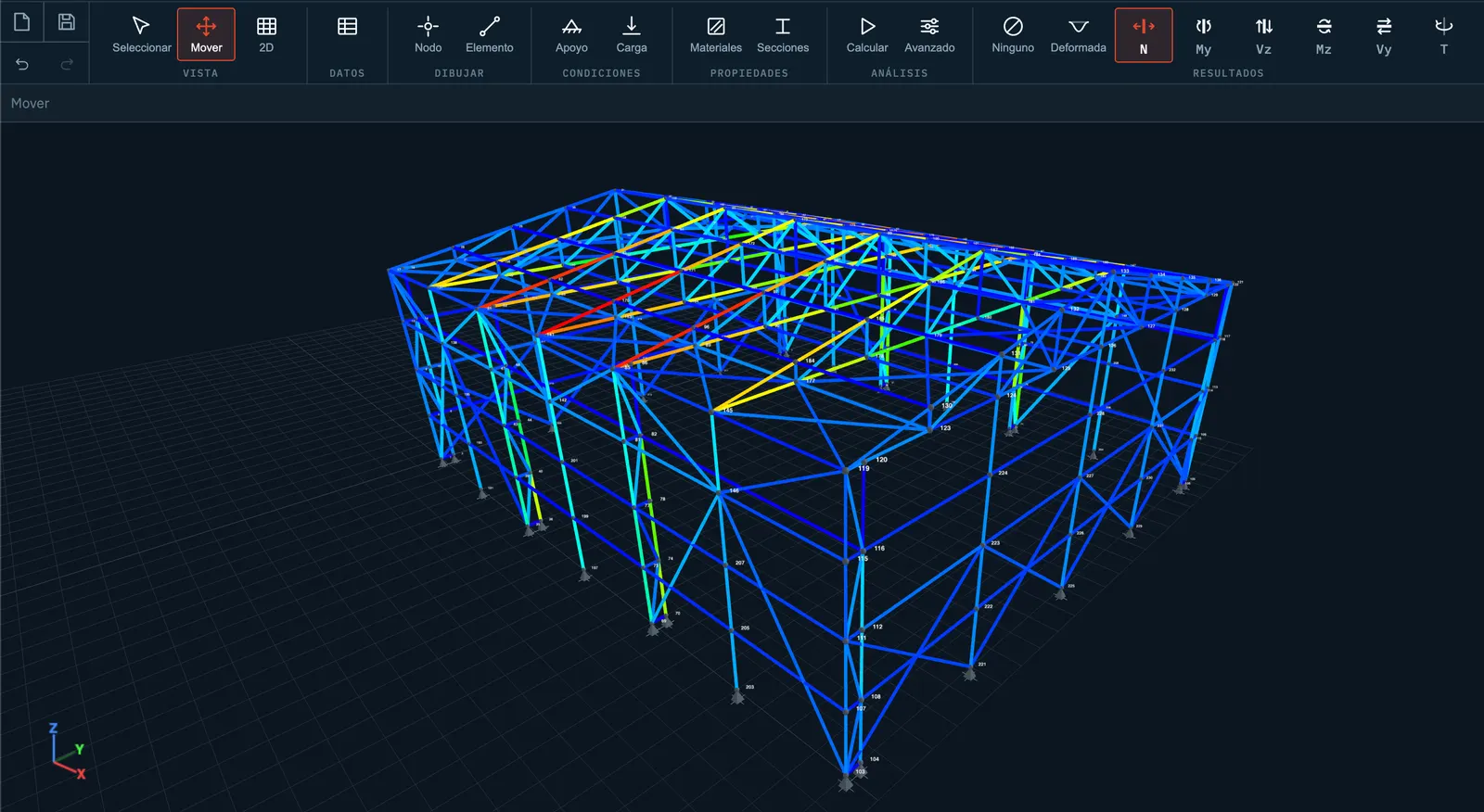
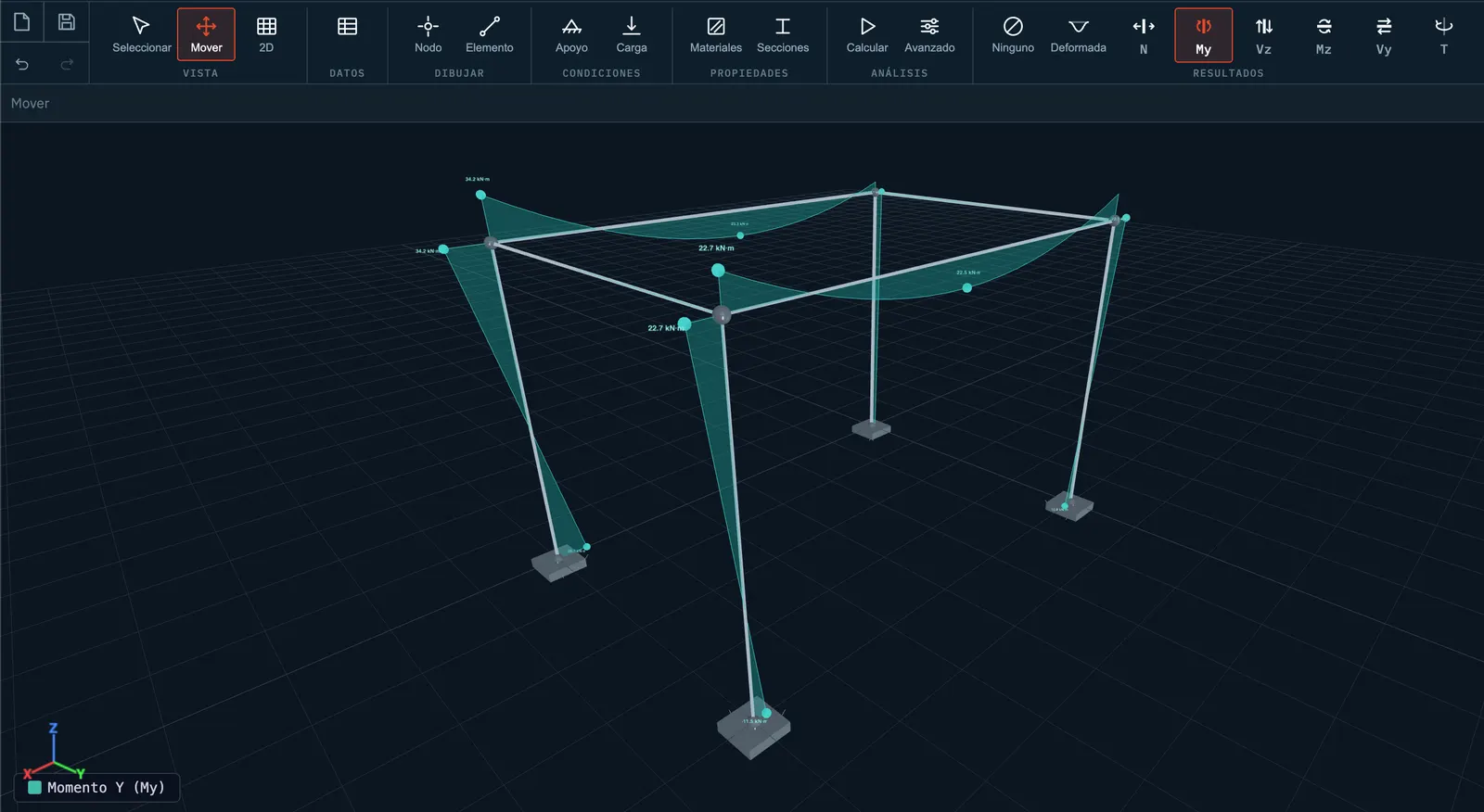
A space frame with its bending moment diagram in 3D

February 2026

The beginning: a structural editor in the browser

Basic

  • The first version, on 10 February: members, supports and loads in 2D, with reactions, diagrams and the deflected shape, with nothing to install.
  • Point, partial distributed and moving loads, load cases, combinations and envelopes with both curves.
  • Steel and concrete sections with a section builder, and stresses in the section by Navier, Jourawski and Von Mises.
  • Inclined supports, springs and settlements, and member self-weight.

Engine

  • A 3D engine with six degrees of freedom per node and its viewer, plus P-Delta, buckling and influence lines in 2D.

Education

  • A teaching kinematic analysis that explains, member by member, why a structure is or is not a mechanism.

App

  • A mobile interface, shared links that carry the model, a guided tour and keyboard shortcuts.
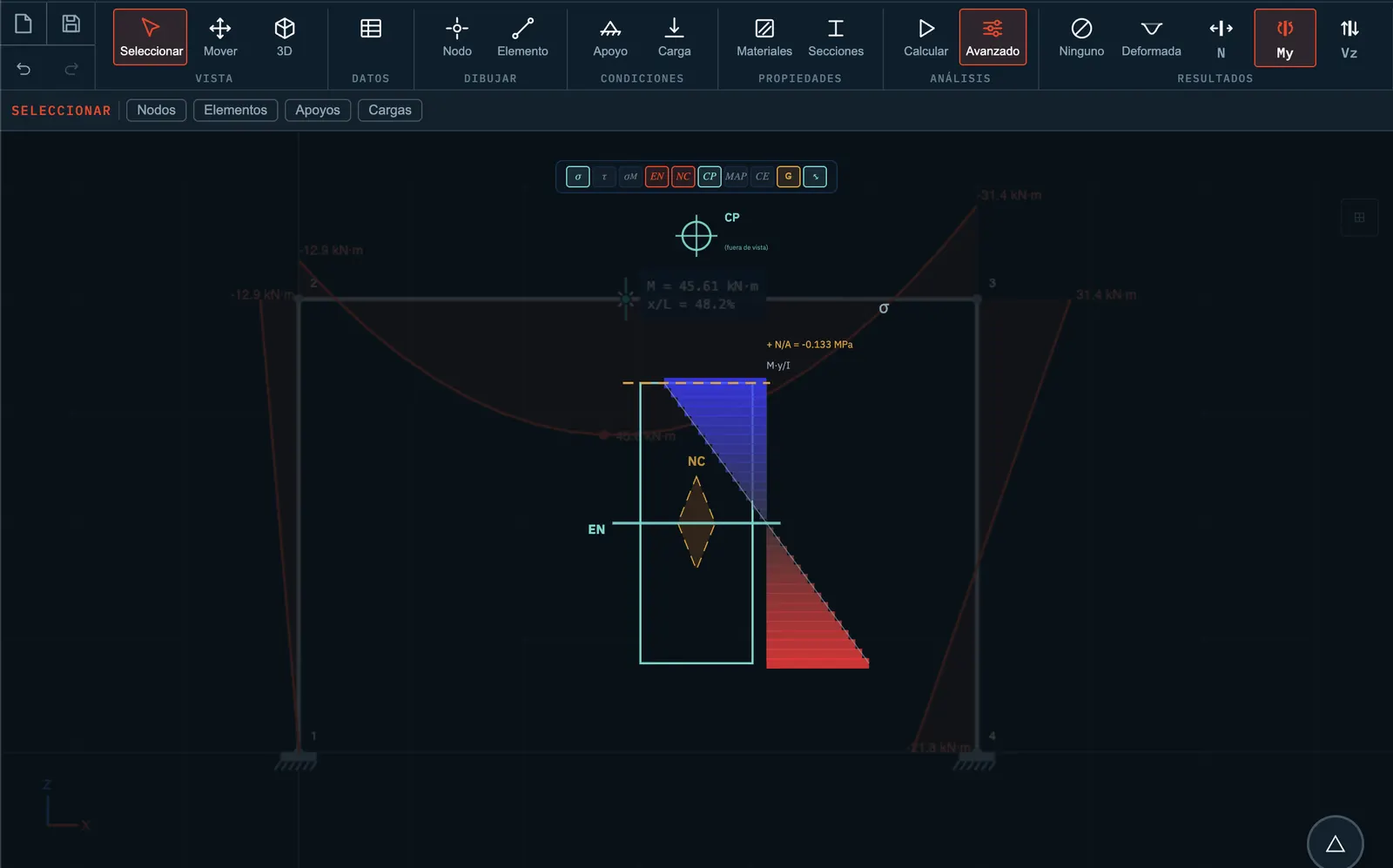
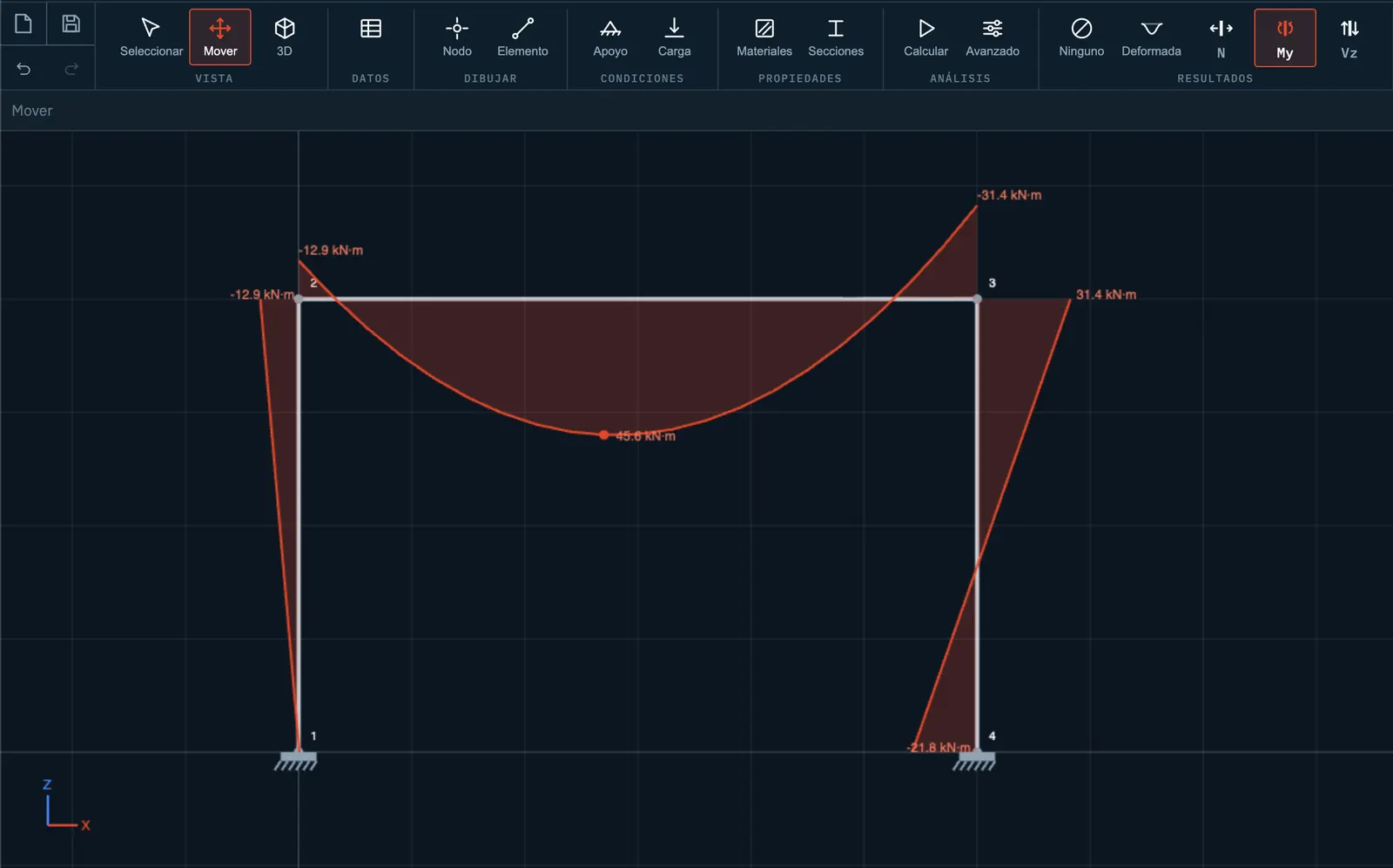
A plane frame with its bending moment diagram in Basic mode
All posts