Analysis software gives you the results all at once. Learning needs the opposite: seeing where every number comes from, in the order it is done on the blackboard. That is “Explained step by step”, the course that now lives inside Stabileo Basic. You pick a method, the app applies it to your structure and works through it step by step, with the equations, the figures and the numbers of that model, and it ends by comparing the result with the matrix method.
The course was written by Bautista Chesta, civil engineer (FIUBA), and it arrives in six units: the shared base, statics and classical methods, influence lines, second order and buckling, plastic analysis and dynamics. It is free, like all of Basic: it opens in the browser, with nothing to install and no account, and the texts are in Spanish, English, Portuguese, German, French and Turkish.
How to open it
- Go to stabileo.com/app/basic.
- Press Advanced. On a phone it is in the bottom ribbon.
- Under “Explore and learn”, press Explained step by step. The catalog of methods opens, grouped by topic.
- Each method says what the structure must be to try it and whether your model qualifies; the ? explains what it does. “Open an example” loads a model that qualifies and opens the method; “Open” applies it to the model on screen.
- Next and Previous move through the steps, and the numbered tabs jump to one. Methods goes back to the catalog.
Statics, the force method and the displacement method
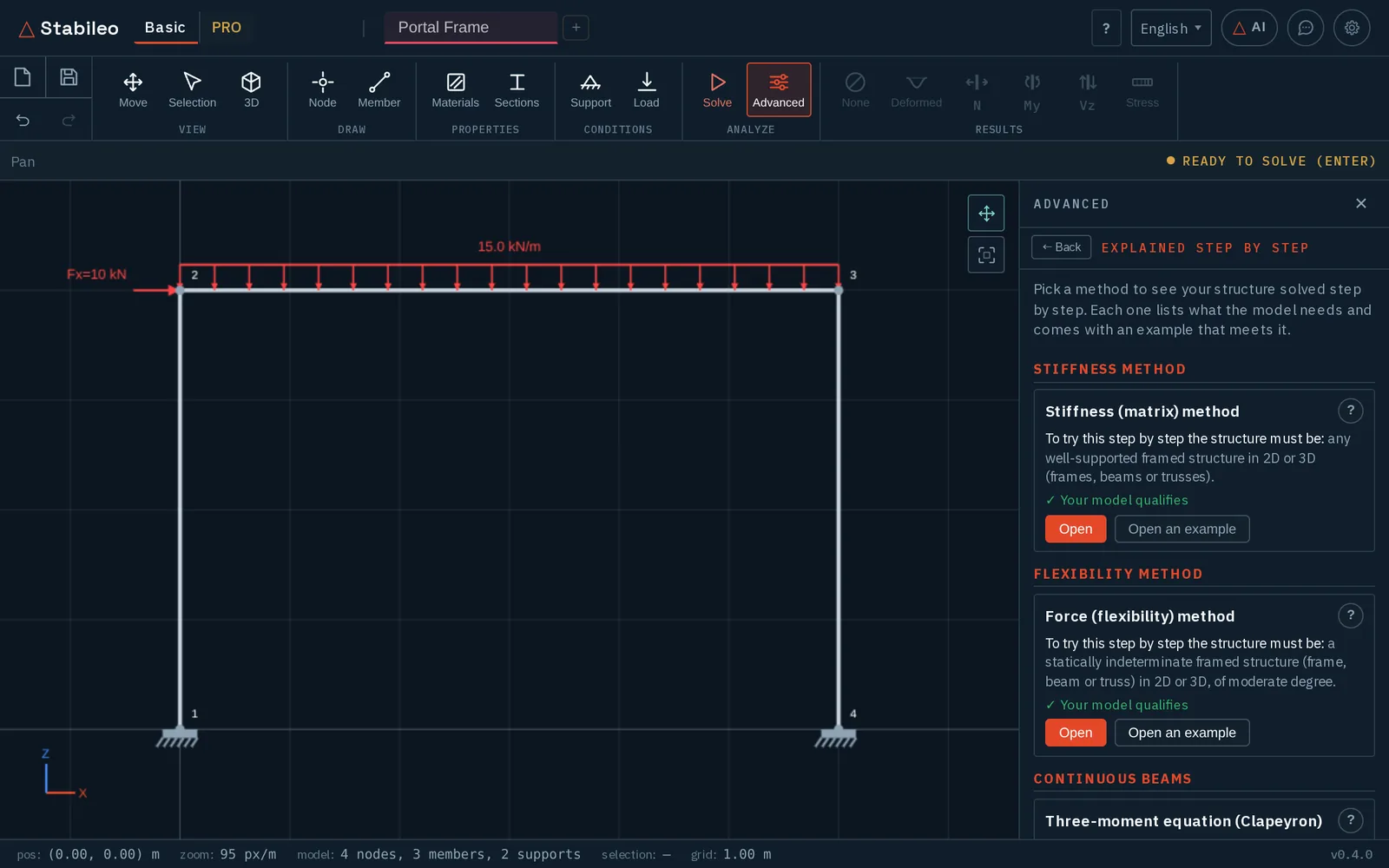
This is the largest unit: continuous beams with the three-moment equation and moment distribution, frames with slope-deflection, moment distribution with and without sway and the displacement method, trusses by joints, by sections (Ritter) and with the compatibility matrix, and deflections by double integration, moment-area, virtual work and Castigliano. The degree of indeterminacy is counted the same way everywhere (GH = 3·m + r − 3·n − c for a plane frame, GH = m + r − 2·n for a truss), with the internal hinges written out and split into its external and internal parts.
In the force method you choose the primary structure: you release supports or member ends until there are as many redundants as the degree, and if your choice leaves a mechanism the app explains why instead of solving it. Then it goes through the nine steps, with axial stiffness on or off and members and springs written out term by term. Virtual work computes displacements, rotations and relative movements, with springs, settlements and temperature too. To try it: Examples → Portal Frame, Advanced → Explained step by step → Force method → Open.
Influence lines
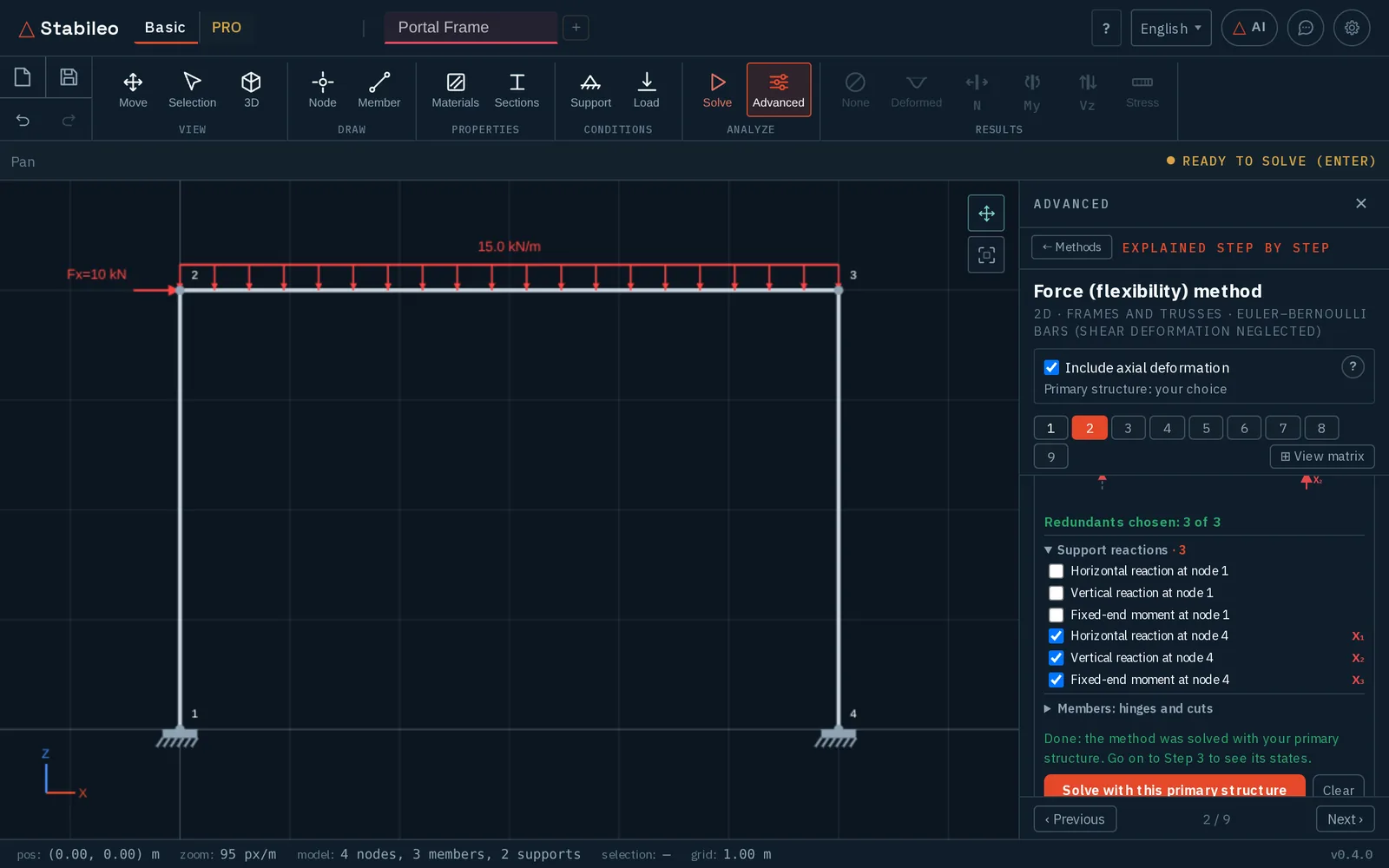
Examples → Continuous Beam, then Advanced → Influence line, and tap a section of the beam. There are lines for reactions, moment, shear, axial force, displacements and rotations, at any section, member ends included, and the section can be moved afterwards. The panel loads the line with the permanent load g, the live load q and a point load P for its extremes, draws the envelope along the member and opens the step-by-step explanation with the Müller-Breslau figures. “Load cases and envelopes” finds the largest and smallest effects. The moment line is positive where it tensions the bottom fibre, like the static diagram.
Second order and buckling
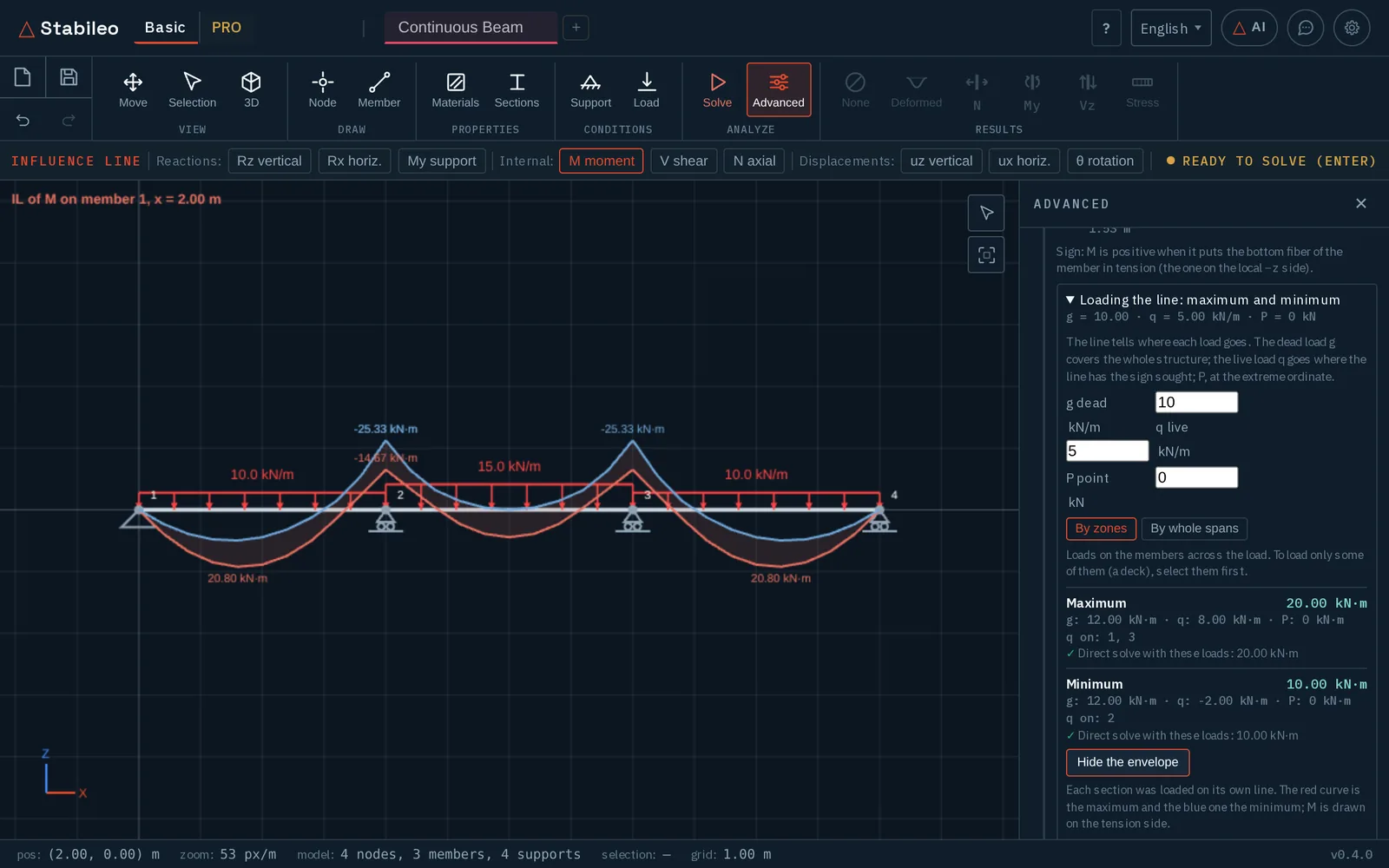
With a loaded frame, Advanced → P-Δ (2nd order) or Pcr (Euler). Under “How it is calculated” you pick the method, with stability functions φ, the geometric matrix or the chord matrix (P/L), and how many elements each member has. P-Δ shows its iterations, and B₂ = 1/(1 − 1/λ₁) comes from the buckling of the same model at the same discretization, next to the displacement amplification at the node that moves most in first order. Buckling uses four elements per member by default, and when the discretization cannot represent the factor it refuses it instead of reporting it. In the catalog, the “Second order and buckling” group comes with a frame prepared for all four methods.
Plastic analysis
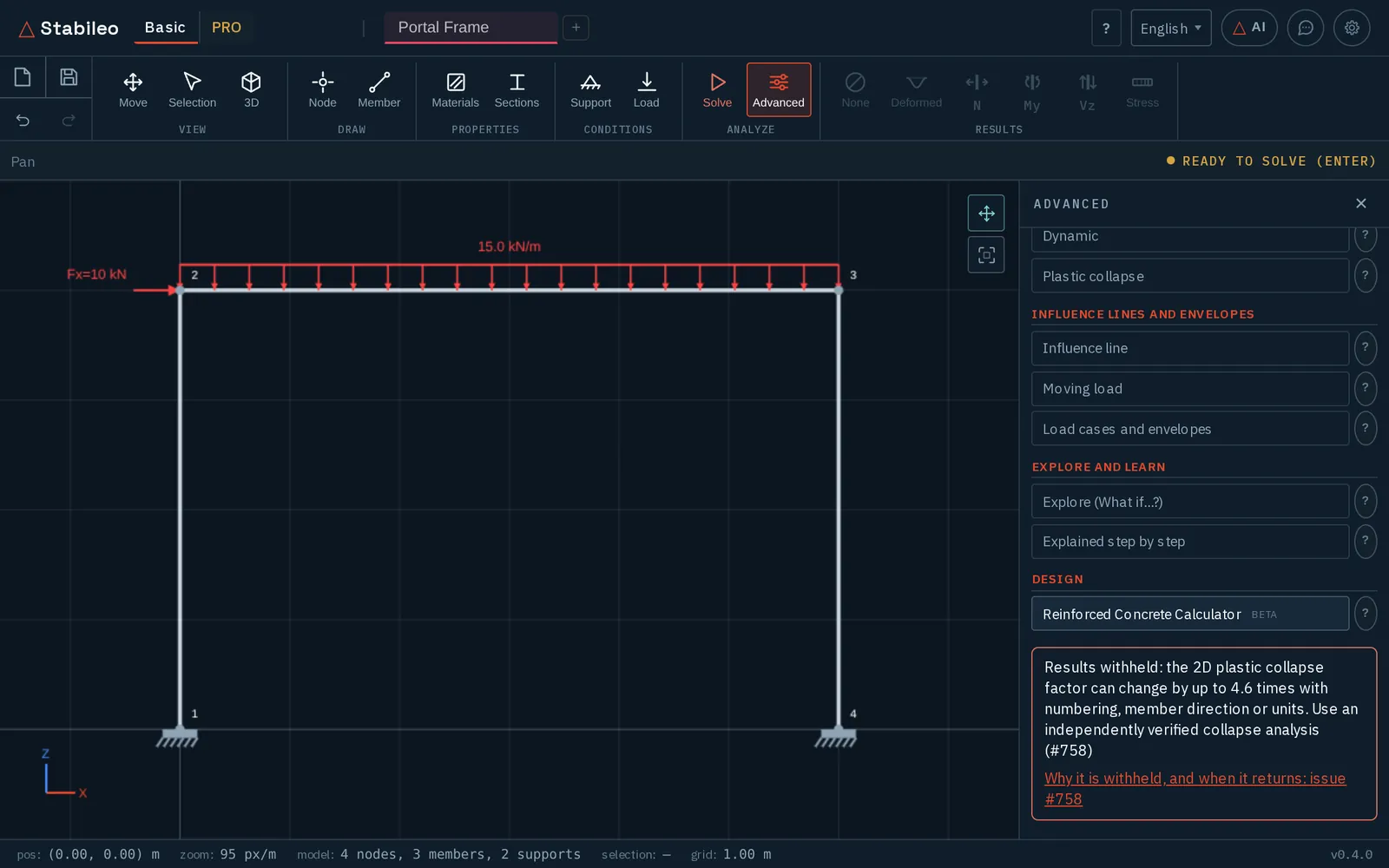
Examples → Portal Frame, then Advanced → Plastic collapse. The unit is written: each load step, the λ–displacement curve, the plastic rotations, the mechanism drawn on the model and checked by virtual work, and a mechanism you choose by tapping where the hinges go. Its results are withheld for now. We found that the limit analysis behind it can give a collapse factor up to 4.6 times different when the members are renumbered or reversed, or the units change (#758). Until that is fixed the panel says so and links the issue, and the static and kinematic methods in the catalog are disabled with the same reason: no number is better than one that depends on how the model was drawn.
Dynamics
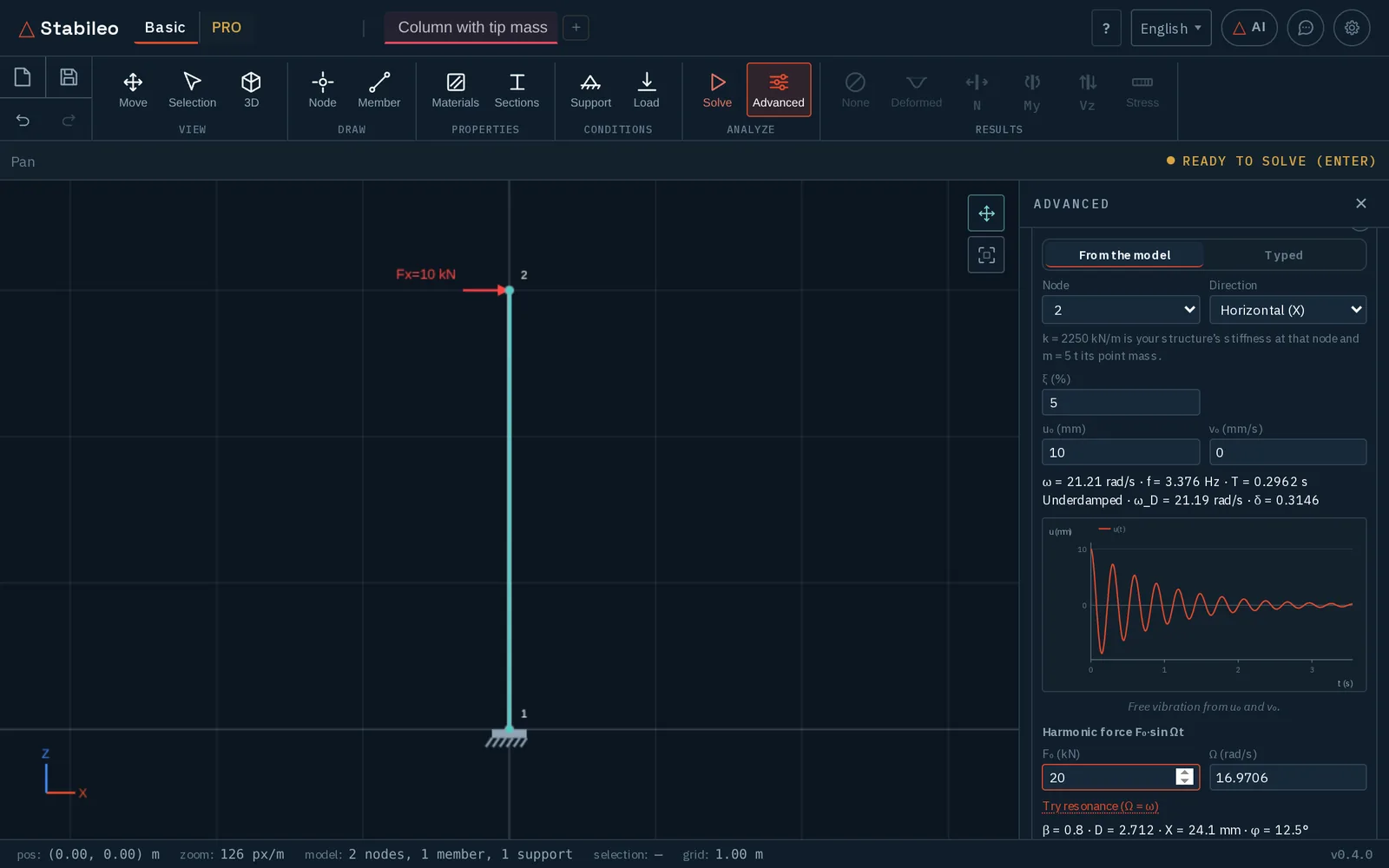
Advanced → Dynamic opens the dynamics panel. A single-degree-of-freedom system is taken from the model, with its free response and its forced response to a harmonic load; a multi-degree-of-freedom one is solved by modal superposition, the shear building included. Mass models, lumped or consistent and with condensation, are compared with the engine’s frequencies, and point masses can be placed at nodes, with their rotary inertia, which the modal analysis uses too. In the catalog’s “Structural dynamics” group, “Open an example” loads a column with a tip mass, a two-storey shear frame or, for distributed mass, a cantilever.
Everything in the catalog
| Group | Count | Methods |
|---|---|---|
| Stiffness method | 1 | Matrix method, as a wizard |
| Flexibility method | 1 | Force method, as a wizard |
| Continuous beams | 2 | Three moments (Clapeyron); moment distribution (Hardy Cross) |
| Frames | 4 | Kinematic unknowns; moment distribution without and with sway; slope-deflection |
| Trusses | 3 | Joints; sections (Ritter); compatibility matrix |
| Deformations and energy | 5 | Double integration; moment-area; virtual work; Castigliano; internal forces by cuts |
| Influence lines | 1 | Influence line |
| Second order and buckling | 2 | Second order with φ functions and with the geometric matrix; buckling by mode count and by eigenvalues |
| Plastic analysis | 2 | Kinematic method; static method (withheld until #758) |
| Structural dynamics | 3 | One degree of freedom; many degrees by modal decomposition; distributed mass |
If you teach structures, you can use it in class as it is: a model is shared by link and every student opens it in their own browser, in their own language. If a step is unclear or a number does not match the one you get by hand, write to us: that is exactly what we need to know.