Every fix to a structural solver changes a number that somebody may already have used. A buckling factor that was too high is now lower; a model that used to solve is now refused. A fix that reaches the app quietly leaves the old number in calculations already handed in, and the engineer who produced them has no reason to look again.
This post describes what Stabileo does about that, from the moment a defect is found to the moment its fix is published. The examples are real: on 4 and 5 November 2026, fourteen results versions, 16 to 29, reached stabileo.com.
What a results version is
A results version is a whole number, separate from the app version. It goes up by one each time a change reaches the site that makes the same saved model give different numbers, or refuses a model that used to solve. Every change of that kind is registered with:
- the version it entered with, its date and its pull requests;
- which models it concerns, written as model features: a plane model with constraints, a 2D buckling analysis with loads along members, a concrete member checked to CIRSOC 201;
- a title and an explanation for the engineer in each of the app’s six languages, with what to re-check;
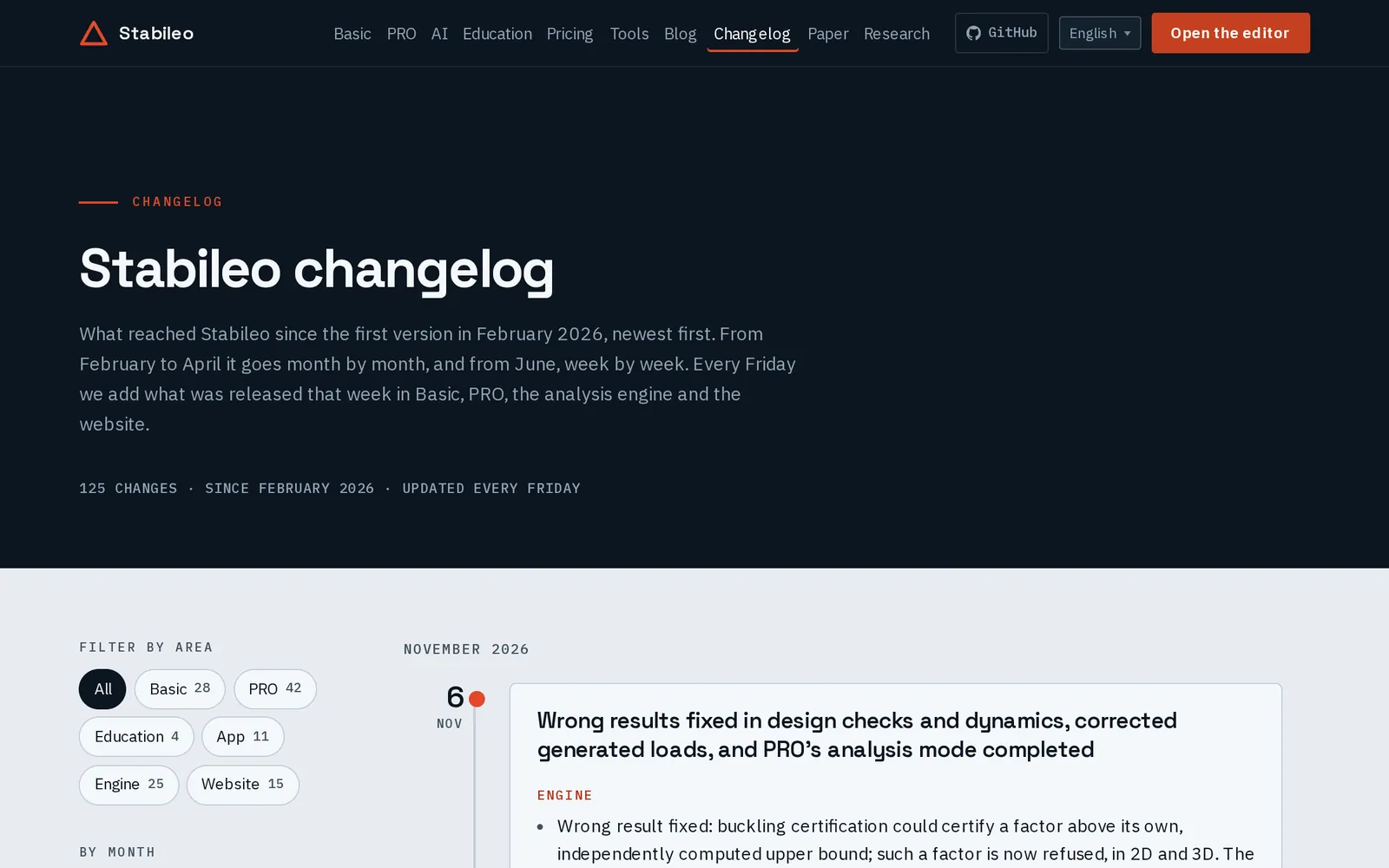
- a link to the full write-up: an advisory, a results-change note or the changelog.
Every solve stamps the project with the results version that produced it, together with the app version, the commit, the engine version, a hash of the engine binary and the analyses that ran. The stamp travels with the project: a saved file, an autosave, an open tab or a shared link all carry it.
Why a version changes
Most changes are fixes: a result was wrong and is now right. Some are refusals: a model that used to give a number now gives a clear message instead, because the number meant nothing. And a version can also undo: version 15 withdrew three changes of version 14 whose review fixes had not reached the site with them, and versions 27 to 29 brought them back, reviewed. A project solved with version 14 is told about both.
| Version | Change | Kind |
|---|---|---|
| 16 | Aluminium: weak-axis shear is checked | Fix |
| 17 | Steel joints: weak-axis moments are no longer ignored | Refusal |
| 18 | ACI 318 and EN 1992: concrete members with torsion are marked not checked | Refusal |
| 19 | RC columns are also checked under their least compression (SA-2026-041) | Fix |
| 20 | Load generator: a floor partly under low roof structure keeps its area loads (SA-2026-033) | Fix |
| 21 | Exported shell figures show the field and scale of the screen | Fix |
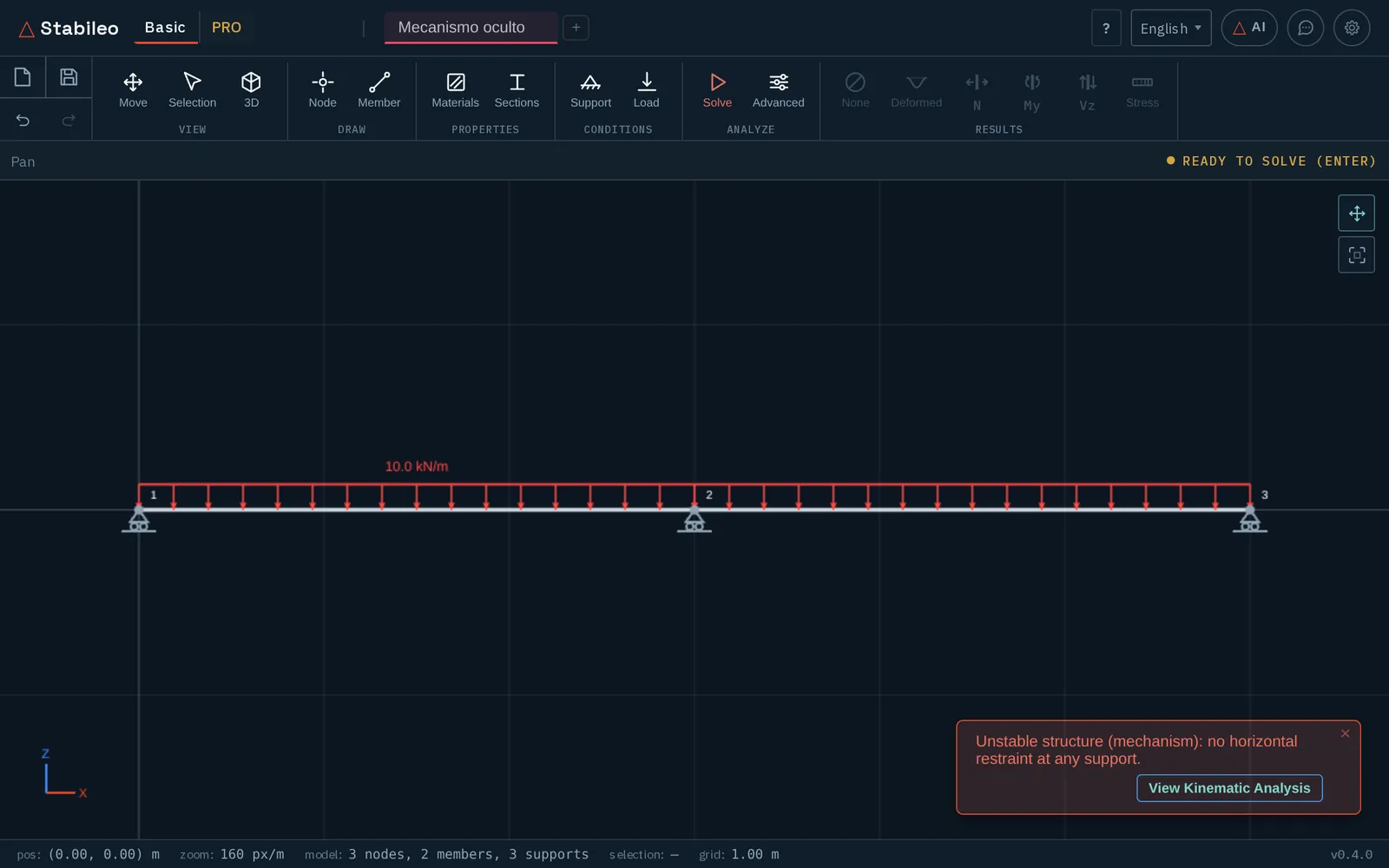
| 22 | 2D: a mechanism behind a rigid link or diaphragm is refused | Refusal |
| 23 | 2D buckling of members whose axial force varies along them (SA-2026-042) | Fix |
| 24 | 3D co-rotational analysis with large rotations about several axes (SA-2026-037) | Fix |
| 25 | Constraints of a 2D model cut from a Y–Z or X–Y plane (SA-2026-036) | Fix |
| 26 | A member’s governing value and the 2D envelope read the true peak | Fix |
| 27–29 | Three Basic changes withdrawn by version 15 return, reviewed: plastic collapse, P-Δ and the sign of moment influence lines | Fix |
The re-check notice
When a project is opened, the app compares its stamp with the registry and lists the changes made since then that concern that model. A plane frame with a buckling analysis is told about the 2D buckling fix; a steel frame without concrete is not told about the RC column check. The list is not a toast that disappears: the notice has no close button, ignores Escape and clicks outside it, and is dismissed only by ticking “I have read these changes” and choosing to continue or to re-run.
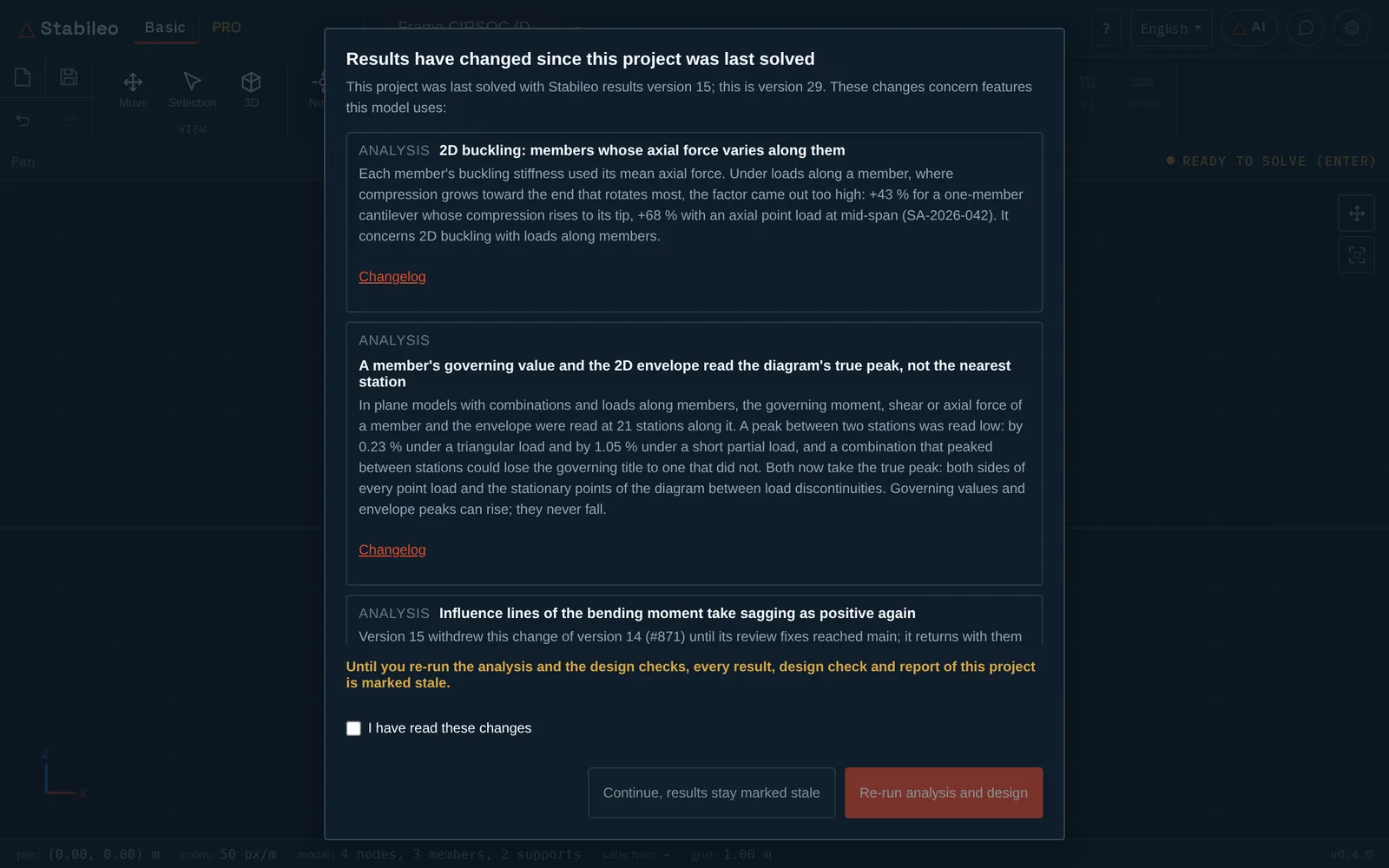
Until the model is solved again, its results are marked stale: a banner says so, and every report, workbook and CSV exported in the meantime prints a STALE warning in its provenance. “Re-run analysis and design” solves again and, in PRO, re-checks the concrete members with the reinforcement already chosen; it does not re-design them, because that would overwrite the engineer’s bars.
Since 4 November (#1406) the notice explains each change in the reader’s language in all six of the app’s languages. Before that, German, French and Turkish readers got the title and explanation in English: 66 of the 72 registered changes had no text in those languages. Each translation was checked by translating it back to English without the original and comparing the meaning: numbers, signs, which load, which check, safe or unsafe side. That check corrected sentences in all three languages, and it showed that four English explanations were ambiguous at the source; those were fixed in all six languages.
Before the fix: warn or refuse
A defect is usually found before it is fixed, sometimes days before. In that time the result it affects is still on screen. The rule we follow is to contain it first and fix it second (issue #447): every open defect that can give a wrong result gets, at each entry point it affects, either a warning or a refusal.
- A warning keeps the result and shows, next to it, which known issue may affect it and what to check by hand.
- A refusal withholds the result and says why, when the number can be wrong by a large factor with no way to notice from the output, such as a factor that changes several times over with the numbering of the members.
Containment is kept in a ledger that lists every open safety issue, its warning or refusal, the condition that triggers it and the test that shows it fires, or the evidence that no containment is needed. A test keeps the ledger and the engine’s list of known issues in agreement, and a scheduled job compares the ledger with the issues open on GitHub. The conditions are narrow on purpose: across the 39 models of the results corpus, each warning fires on at most two. The pull request that completes this ledger for every open issue (#807) landed on 5 November, before release 0.5.0.
A containment ends when its fix lands, and it ends in the same pull request. This week #1295 removed the refusal of 3D-to-2D cuts that bent members about the wrong axis, because the cut is now right; #1301 replaced a warning on every 3D co-rotational solve with one that fires only when a member end turns more than 0.02 rad against its chord, where the remaining approximation can matter.
This week’s fixes
2D buckling with axial loads along members (#1324, version 23). Each member’s geometric stiffness used its mean axial force. Where compression grows toward the end that rotates most, as under gravity on a rafter or an axial point load inside the span, the buckling factor came out too high and nothing warned about it. Each member now integrates its varying axial force.
| Case | Exact | Before | Now |
|---|---|---|---|
| Cantilever, compression rising from 0 at the support to P at the tip | 3.477 | 4.972 (+43 %) | 3.542 (+1.9 %) |
| Cantilever, thrust P at the tip and an opposing axial load P at mid-span: compression P only from mid-span to the tip | 2.961 | 4.972 (+68 %) | 3.056 (+3.2 %) |
| Euler’s heavy column, compression largest at the support | 7.837 | 4.972 (−37 %) | 7.889 (+0.7 %) |
The remaining few per cent is the ordinary discretisation error of one element per member, and it falls as the member is split. P-Delta still uses the mean axial force, and 3D buckling with loads along members keeps its warning until its own fix.
3D co-rotational analysis (#1301, version 24). Member end rotations were subtracted as rotation vectors, which is exact only when all rotations share one axis. The Bathe–Bolourchi 45° bend came out 1.3 % off its published solution, and refining the mesh moved it away from the references, not toward them. Rotations are now composed as rotation matrices: the same bend is within 0.4 % of two independent published solutions and converges between them. A member whose ends turn more than 0.9π relative to each other is refused, because the result cannot say which whole turn is meant.
A hidden mechanism in 2D (#1298, version 22). A rigid link or a diaphragm from a node whose members are all hinged to the end of a truss member is a mechanism, but the solver held it with a tiny artificial spring and returned displacements of hundreds of kilometres, which the certificate then certified. Such a model is now refused. The fix proposed no advisory for this one: in the cases found the displacements were absurd, around 10⁵ m, and came with the app’s warning of a likely mechanism. That is a judgement about those cases, not a proof that no affected result looked plausible. What was wrong was the certificate’s claim, and the version entry tells the projects it concerns. A similar case through a connector instead of a rigid link was found afterwards (#1414); its fix (#1415) landed on 5 November.
Cutting a 3D model to 2D (#1295). The cut used each section’s strong-axis inertia for every member, so columns in a Y–Z cut, beams in an X–Y cut and members rolled 90° bent about the wrong axis: an IPN 300 portal standing in Y–Z swayed 0.96 mm in 2D against 13.0 mm in 3D. Each member now bends in 2D about the axis it bends about in 3D, and cuts a plane model cannot represent are refused. This fix has no results version, and that is deliberate: a saved 2D model solves exactly as before, because what was wrong was the model the cut produced. The re-check notice cannot reach those files, so the advisory (SA-2026-035) is the channel: re-cut the model from 3D, or solve it in 3D.
After the fix: advisories
A defect that could have produced a wrong or unconservative result in a released version gets a safety advisory: what was wrong, which models it affects, how to recognise them, what to re-check in results already delivered, and the case that reproduces it. The advisories for this week’s fixes are drafted in the repository now and are published with release 0.5.0, as SA-2026-001 to 024 were with 0.3.0 and 0.4.0.
| Advisory | What was wrong | Severity |
|---|---|---|
| SA-2026-033 | The load generator left out a floor’s area loads when one low member stood over part of it | High |
| SA-2026-034 | The equilibrium check agreed for cases whose check left loads out | Medium |
| SA-2026-035 | 3D-to-2D cut bent members about the wrong section axis | High |
| SA-2026-036 | 3D-to-2D cut on Y–Z or X–Y read the constraints as if the frame stood in X–Z | High |
| SA-2026-037 | 3D co-rotational analysis subtracted rotation vectors | Medium |
| SA-2026-040 | ACI 318 and EN 1992 checks passed concrete members without checking their torsion | High |
| SA-2026-041 | The RC column check paired the largest moment with the largest compression only | High |
| SA-2026-042 | 2D buckling overstated the factor of members whose compression grows along them | High |
What this does not do
- The notice knows only about registered changes. A defect not yet found is in no registry; that is what the verification behind the solver is for, and what containment covers once something is found.
- It reads the model’s features from the saved file, and when it cannot tell, it counts the feature as present: one notice too many is better than a change hidden from the model it concerns.
- It cannot follow a number once it leaves the app, in a drawing, a spreadsheet or a report already delivered. That is what the advisory is for.
- Contained, refused or fixed, the result is still the engineer’s to check before it is signed.